Watch a related explainer
In plain English
Order fulfilment is the work of supplying the customer’s accepted order. Shopify’s fulfilment guidance distinguishes supplying orders yourself from using a connected service. The practical workflow depends on the products, the business and the supported store arrangement.
An owner reviewing an online shop should follow the actual items, quantities and customer messages. A paid order, a prepared package and a customer receiving that package are different observations. The team needs to understand which event changes each record and notification.
Why it matters for a Jersey business
A shop’s website is connected to staff work after the order is placed. Identify who reviews the order, which items are prepared and what confirms the next stage. The software configuration should be understandable to the people who perform that work.
Customers also need messages that reflect the actual state. If part of an order is supplied first, the communication should identify that part and the remaining items. Review the wording and records together so an internal update does not imply that every item has already reached the customer.
A realistic Jersey example
Imagine a Jersey stationery business preparing a controlled test order containing several items. This is a hypothetical example. The team tests a normal complete shipment, then a supported situation where one item is supplied separately.
Staff check the quantities in each fulfilment record, the packing information and the customer message. They verify the support view of the remaining items. The test does not assume that the overall order label explains every shipment. It records the actual workflow and which person is responsible for each update.
Practical checks for fulfilment
Map the staff process. Start with the event that makes an order ready for preparation, then identify selection, packing and handover responsibilities. Include the supported fulfilment service where one is used. The business should be able to describe the process in ordinary language before the maintainer maps it to platform settings.
Review quantities at item level. WooCommerce’s fulfilment documentation explains records identifying supplied items and shipment information. Ask the maintainer to show how the actual system records a part shipment. Staff should be able to determine what has been supplied and what remains, without relying solely on one overall status word.
Interpret order statuses in context. WooCommerce’s status guide describes different stages and associated behaviours. Review the actual platform and any extensions the shop uses. A label should be understood through its defined meaning and triggering event rather than assumed equivalent to another system’s label.
Check documents and references. Compare the order items with the packing information and relevant shipment reference. Verify that staff can connect a customer enquiry to the appropriate part of the order. A reference copied from a different package can make a message appear complete while sending the customer to the wrong shipment.
Review notification timing. Identify which action sends a customer message and what that message says. Use the actual supported workflow to test it. Staff should know the consequence of marking an item supplied or updating a record, including whether a correction also creates another notification.
Test exceptions and support. Include a held item, a changed shipment reference and the relevant non-physical product workflow where the shop offers it. Record the expected handling before the test. This gives the maintainer concrete evidence when the software behaviour and the business’s intended process differ.
Common myths and mistakes
Payment, fulfilment and delivery should not be collapsed into one event. A successful payment does not show that staff prepared the items, and a fulfilment update should be interpreted through the actual system’s meaning. Check the relevant evidence for the stage being discussed.
Another mistake is treating a partial shipment as a complete customer outcome. Review the remaining quantities and the message that identifies them. Staff need a supported way to see the unfinished work and explain it when the customer asks for an update.
Our take
Follow the order through items, quantities, staff actions and messages. Verify normal and exceptional cases using the actual configured store. Keep the handover clear enough that another member of staff can understand what has happened and what remains to be done.
See it in a diagram
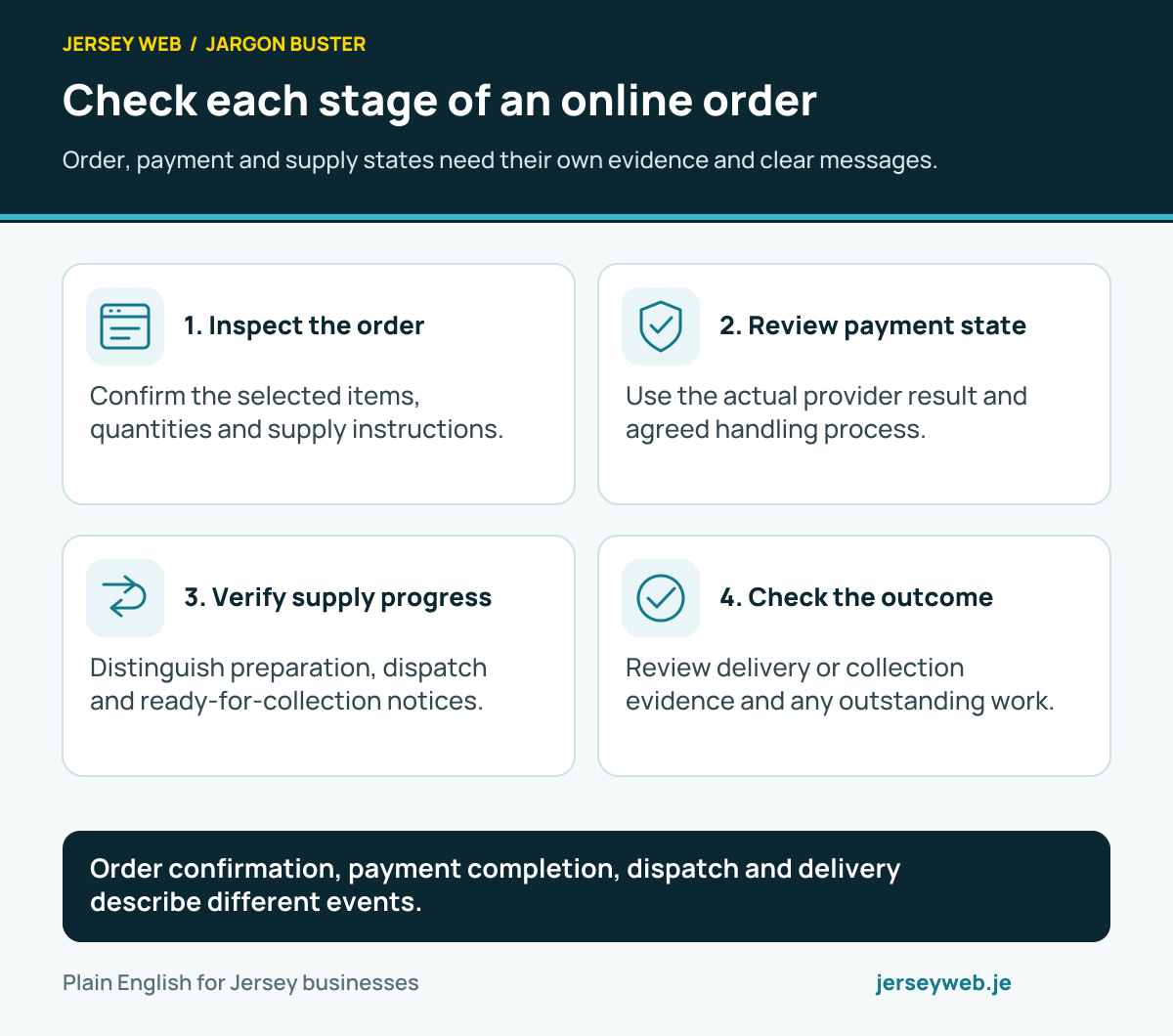
Order confirmation, payment completion, dispatch and delivery describe different events.
Read the diagram in text
- Inspect the order. Confirm the selected items, quantities and supply instructions.
- Review payment state. Use the actual provider result and agreed handling process.
- Verify supply progress. Distinguish preparation, dispatch and ready-for-collection notices.
- Check the outcome. Review delivery or collection evidence and any outstanding work.
Related terms
Learn more
Common questions
- Is a paid order automatically fulfilled?
- No. Payment and supplying the order are different stages. Review the relevant products and the store’s actual workflow.
- Can one order have multiple shipments?
- Yes. A supported fulfilment workflow can record separate supplied items or shipments. Keep the quantities and customer messages linked to those parts.
- Does fulfilled always mean delivered?
- Do not infer delivery from a platform’s fulfilment label. Check the actual status meaning and relevant carrier or delivery evidence.
- Do digital products use the same process?
- They can have different access and fulfilment arrangements. Review the configured product type and verify that the customer receives the intended access.
Written by Jersey Web. Last reviewed 5 October 2026. Back to the Jargon Buster.